Your calendar in three steps
Create a campaign
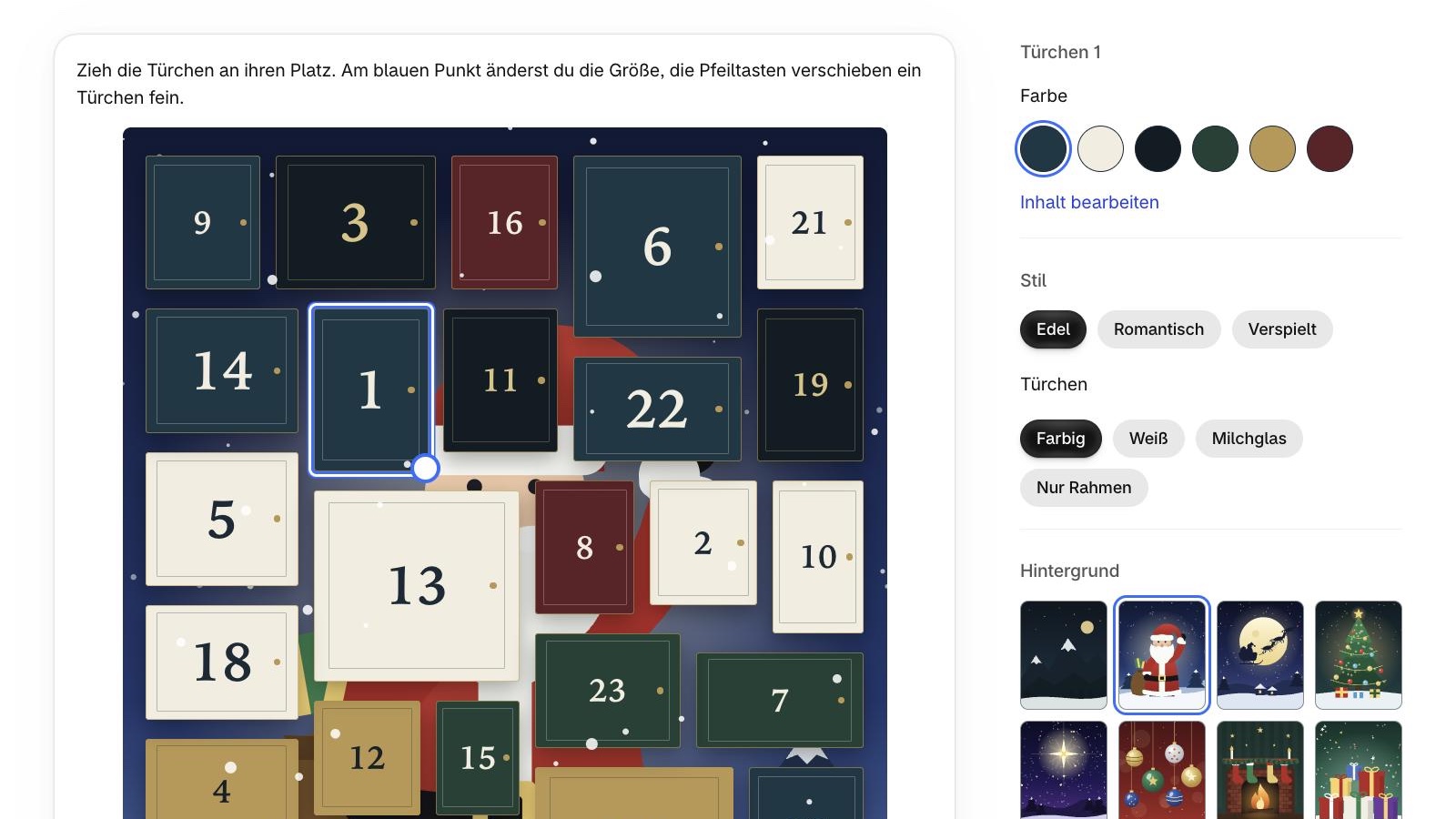
Use the Advent calendar with 24 doors, Black Week with 7, or set up your own. Then arrange the doors and pick a style.
Add your content
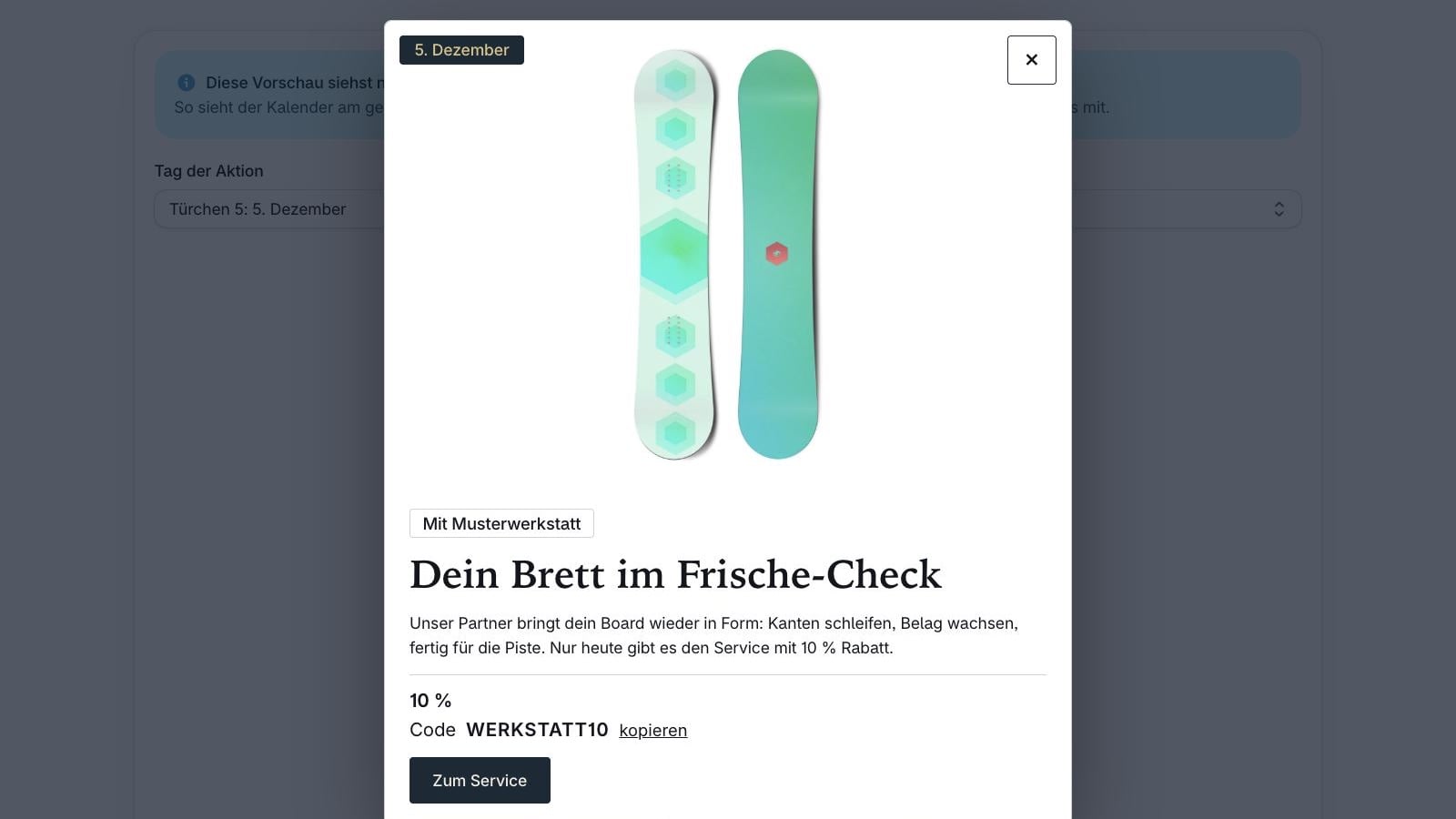
Place a discount, gift, partner offer or content behind each door.
Add it to your store
Add the calendar to your theme as a block and check each day in the preview.
What DailyDoors does
Your campaign, your number of doors
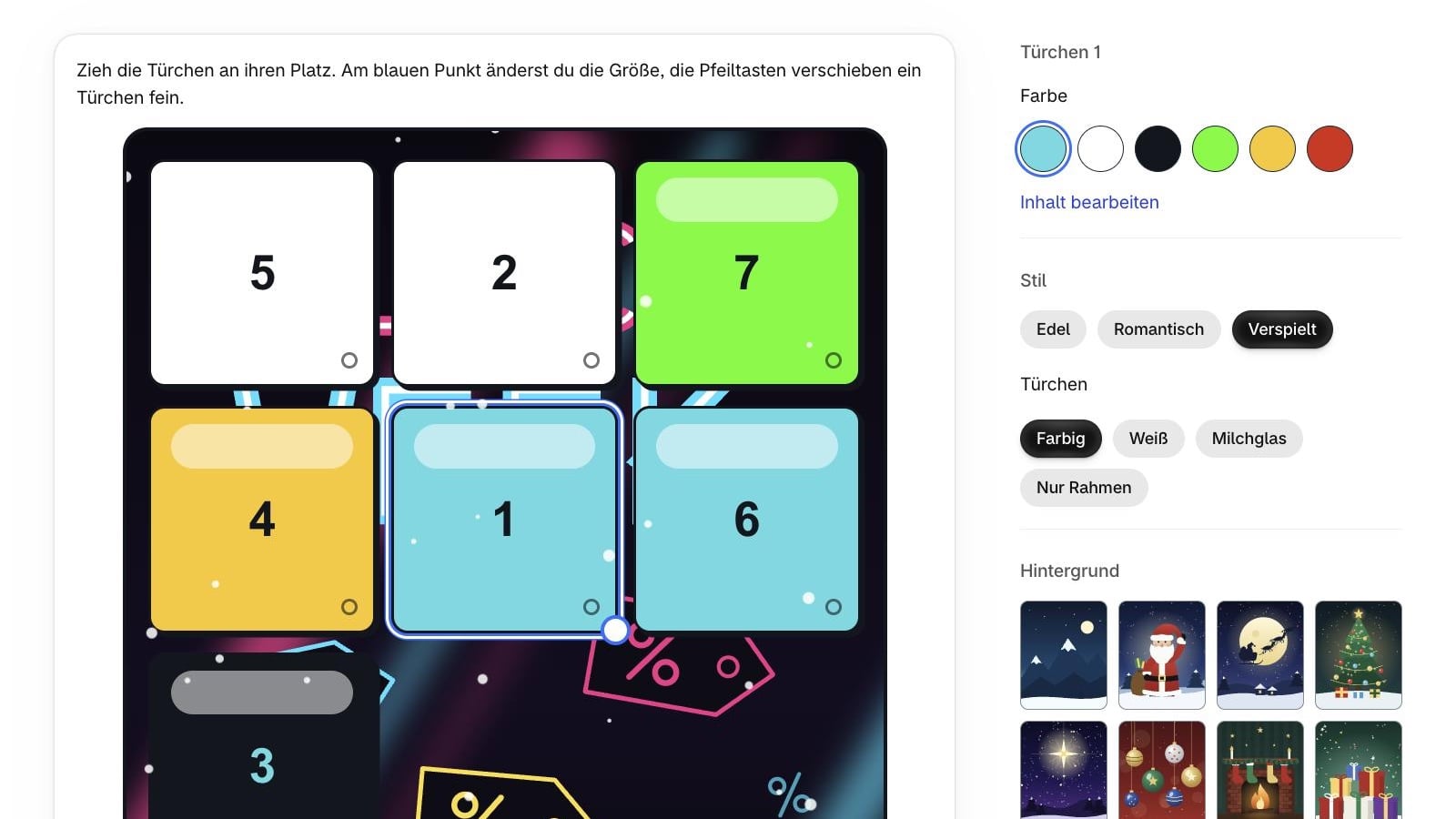
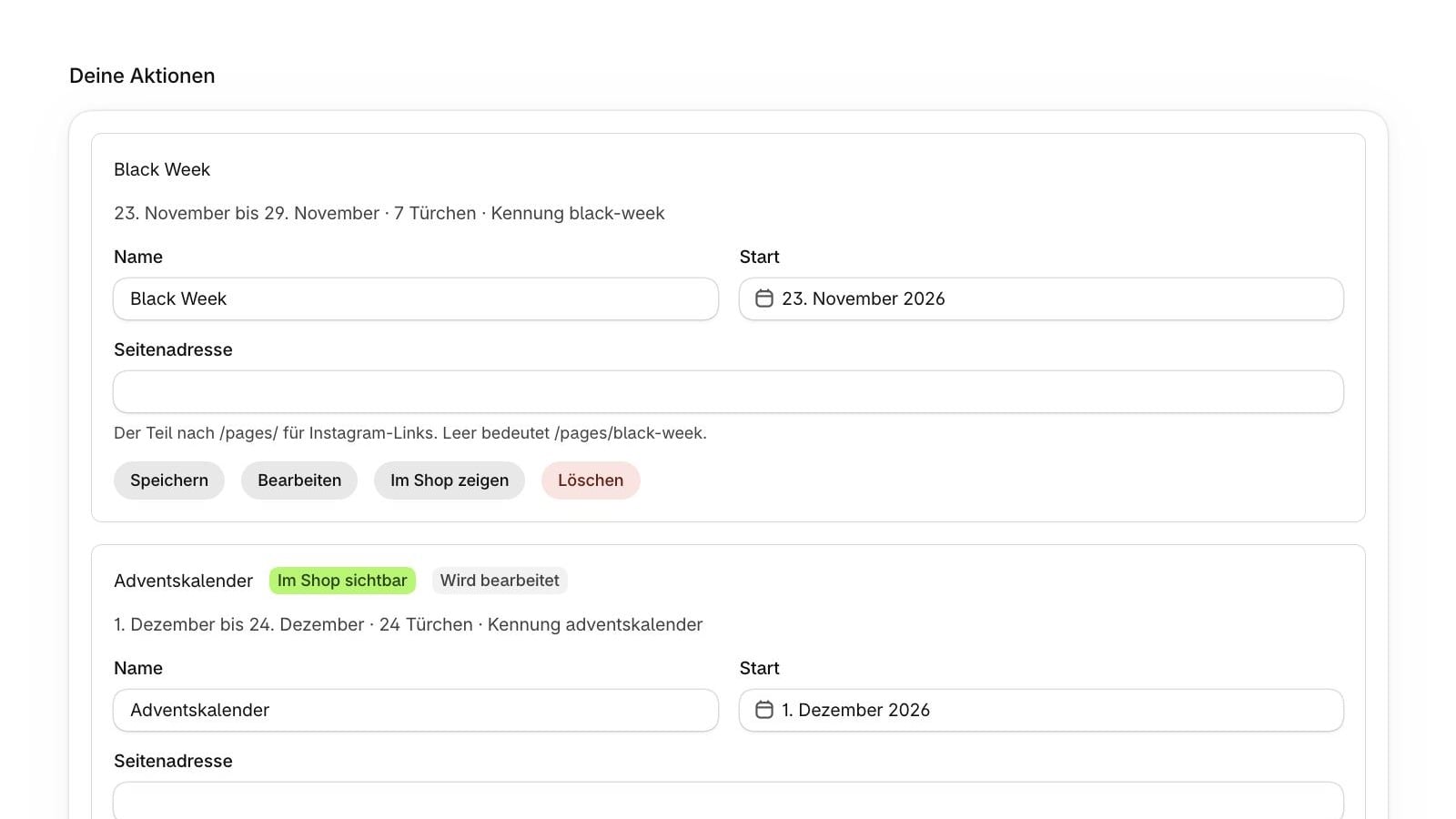
Advent with 24 doors, Black Week with 7 or your own campaign: you set the period and the number, up to 31 doors. On the Pro plan, several campaigns can run at once.
Free layout
Move and resize all doors as you like.
Your own look
Three styles, 19 backgrounds, including Christmas and Black Week, plus snowfall with adjustable amount and flake size. Your own background image on the Pro plan.
Secure time lock
Content, codes and uploaded photos only reach visitors on the right day.
Discounts in Shopify
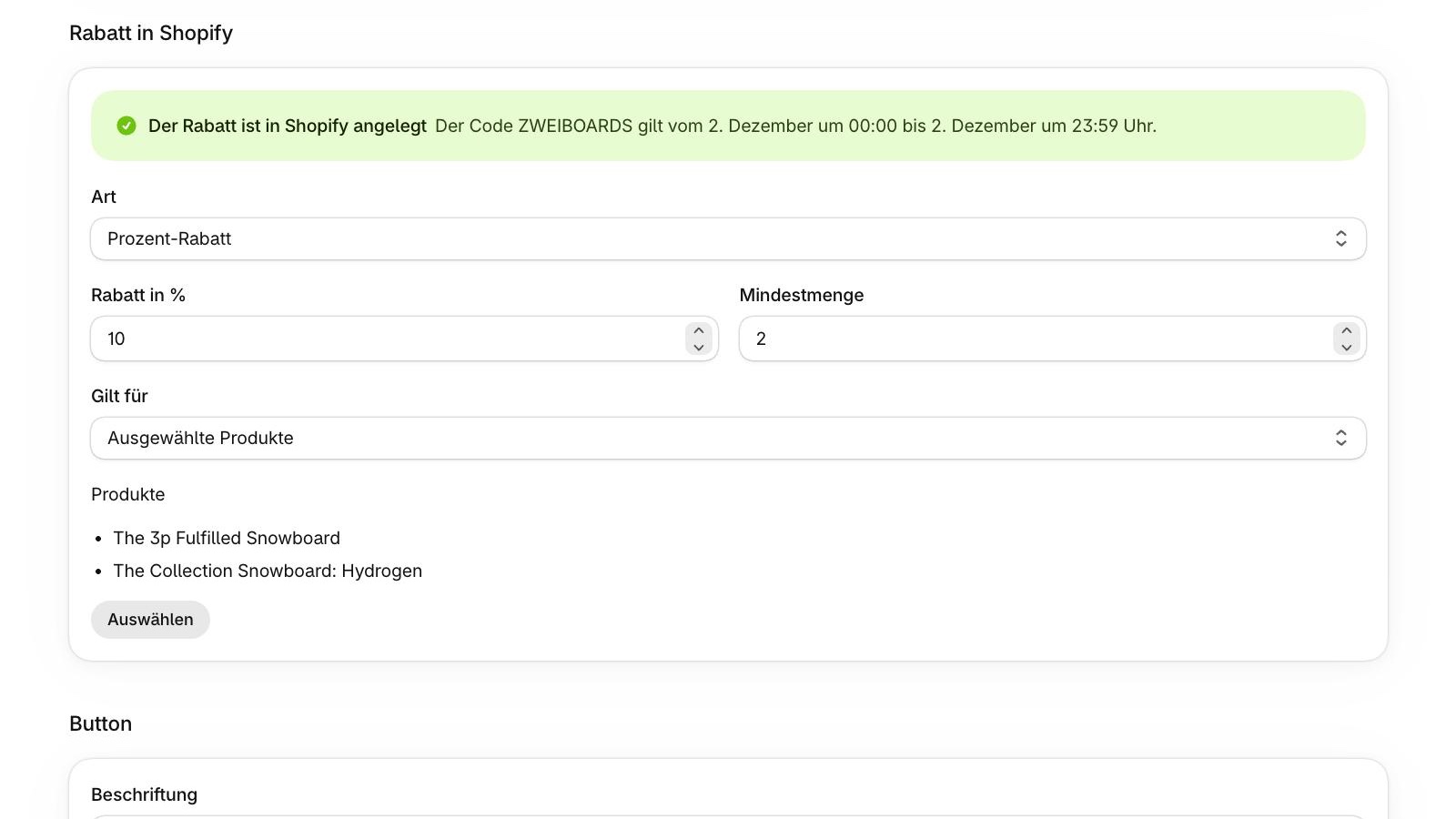
The app creates the discount when you save, valid for exactly that day: percentage, minimum quantity or free item.
Partner doors
Give a door a partner name and run offers together with others.
Images for each door
Use a product image from your store. On the Pro plan you can also upload your own photos.
Preview any day
See in the admin how the calendar looks on a given day. Only you can see it.
Instagram kit
Get a 1080 × 1920 story image, a caption and a tracked link that jumps straight to the door.
Newsletter
Visitors can sign up through the Shopify customer form.
German and English
The admin and the calendar are available in both languages.
What it looks like in the app
Captures from a test store with sample content. The interface shown is in German.
Two plans
Starter
$9.00 per month
- One live campaign
- All styles and 19 backgrounds
- Product images from your store
- Discounts, partner doors, preview and Instagram kit
Pro
$19.00 per month
- Multiple live campaigns
- Everything in Starter
- Upload your own photos and background images
Try it free for 7 days. All prices exclude VAT, billed through Shopify.
Frequently asked questions
What does DailyDoors cost?
Starter costs $9.00 per month, Pro $19.00 per month, excluding VAT. The first 7 days are a free trial. Billing runs through Shopify.
When will the app be available?
We plan to launch in the Shopify App Store for the 2027 season.
Can customers open doors early?
No. The server only sends content, codes and uploaded photos to visitors on the right day.
Do I have to create discount codes myself?
No. Enter the code and discount in the door, and the app creates it in Shopify when you save.
Does it work for Black Week or an event?
Yes. You choose the start and number of doors, for example 7 doors for Black Week or your own campaign for an event.
What happens to my images if I switch to Starter?
Uploaded images no longer appear in the calendar. If you switch back, they return. Product images always stay.
Who is responsible for the content?
You are. DailyDoors only provides the software. You are responsible for the texts, images, discounts and campaigns in your store. Details are in the terms (in German).
Does the app post to Instagram?
No. You get the story image, caption and link, and post them yourself.
Coming soon to the Shopify App Store
We will post here as soon as DailyDoors is available.